
For Minecraft: Java Edition
A small light in a blocky world
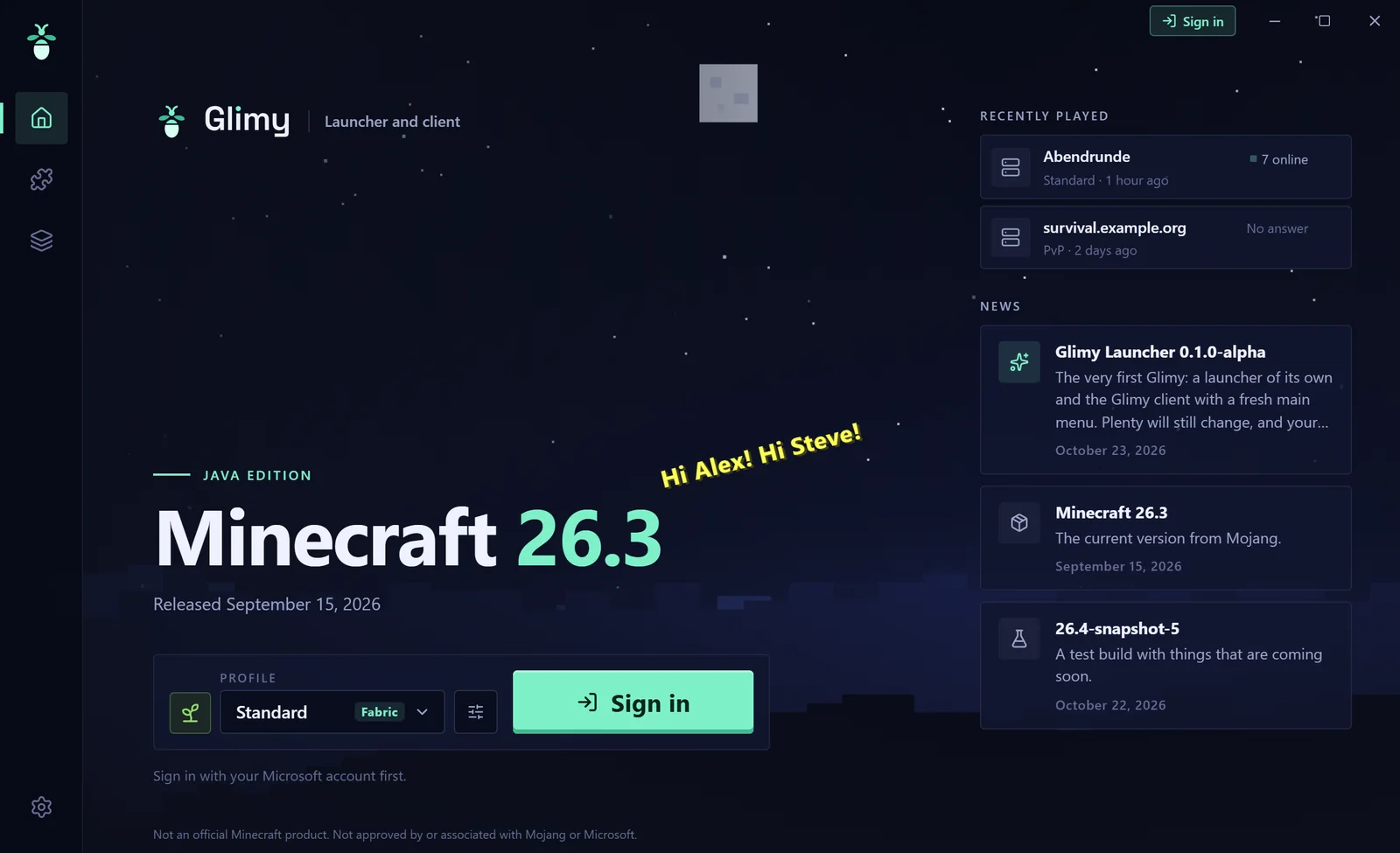
Glimy, also known as Glimy Client, is a standalone launcher that comes with its own Fabric client. You will sign in with your Microsoft account, pick a profile and play. Mods, shaders and resource packs are right there in the same window.
Features
Launcher and client, made together
The launcher takes care of everything before the game. The client sits in the game and stays quiet until you need it.
 Launcher
- ProfilesEach profile has its own version, mods, worlds and settings. Start from a template, copy one, or import your existing Minecraft folder
- Mods, shaders, packsSearch and install from Modrinth, with dependencies, updates and help when you switch versions. Modpacks in the .mrpack format
- Java and memoryGlimy downloads the right Java from Mojang and picks the memory for your PC. You can set both yourself
- Recently playedYour last servers with player counts. One click and you're in
- Checked downloadsEvery file comes from a fixed list of known sources (Mojang, Fabric, Modrinth) and is verified by checksum
Client
- Own title screenA calm main menu in Glimy's style. Minecraft underneath stays as it is
- Glimy menuAll modules in one place, with search, categories and key bindings
- HUDFPS, coordinates, CPS, keystrokes, armour, sprint status, server with logo, player count and ping. Place them anywhere in the HUD editor, elements snap together flush
- Zoom, toggle sprint, toggle sneakSmall helpers many players know. Nothing that gives you an unfair edge on servers
- LightweightBefore every release we measure how much performance Glimy needs in game. Sodium and Iris come along if you want them
A look inside
This is Glimy
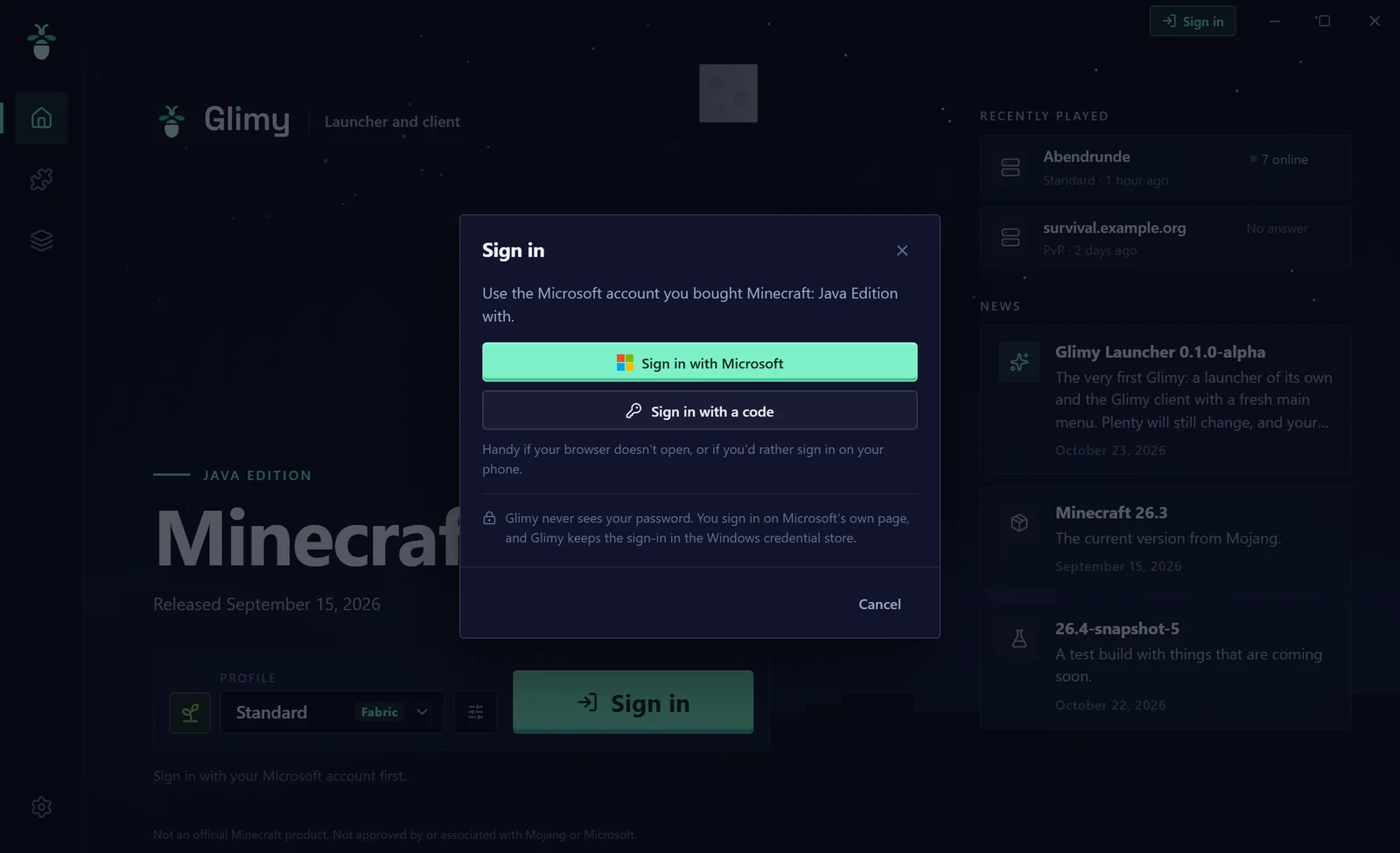
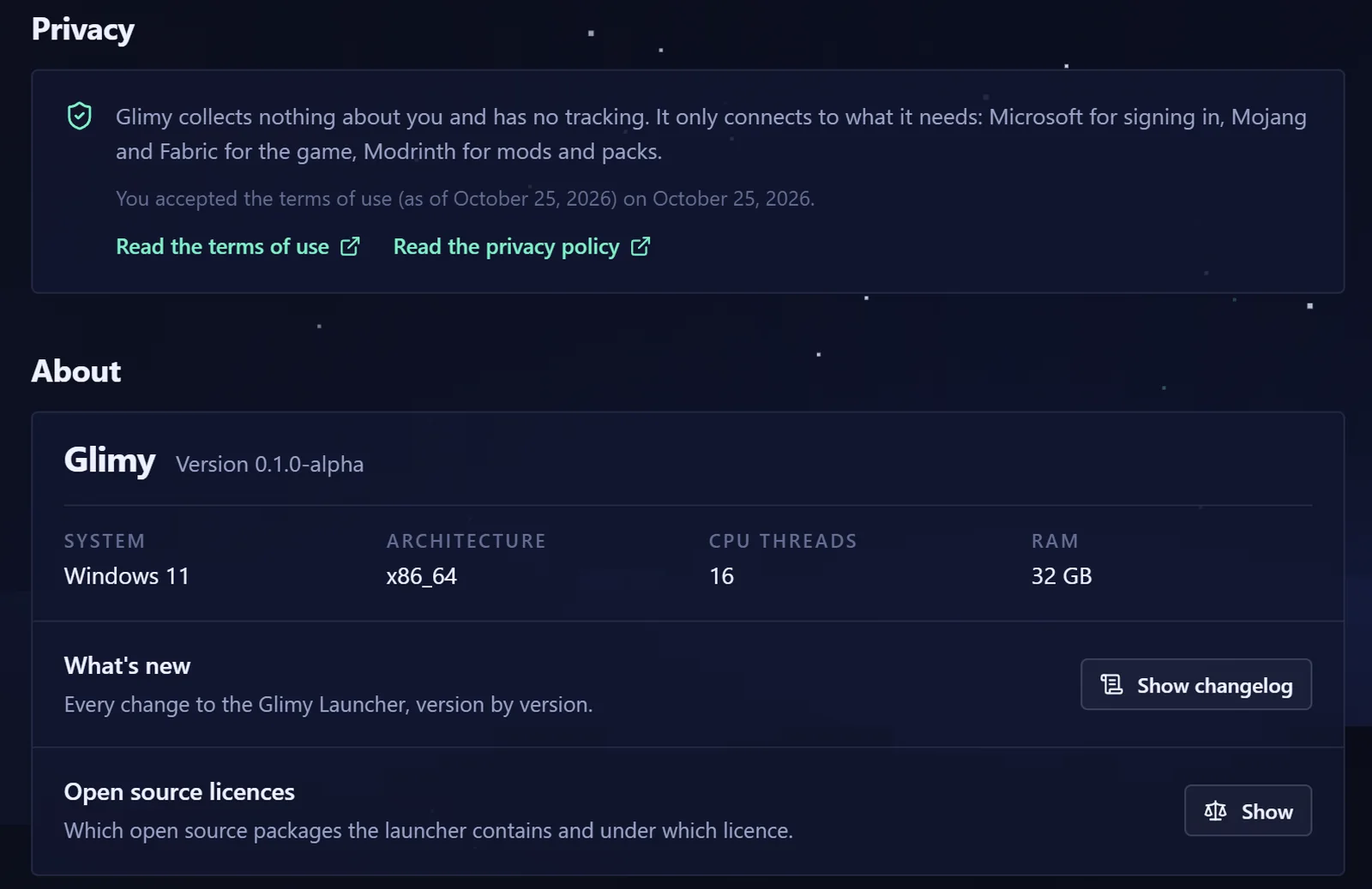
Screenshots from the real launcher, taken with sample data. No account signed in, server names made up.
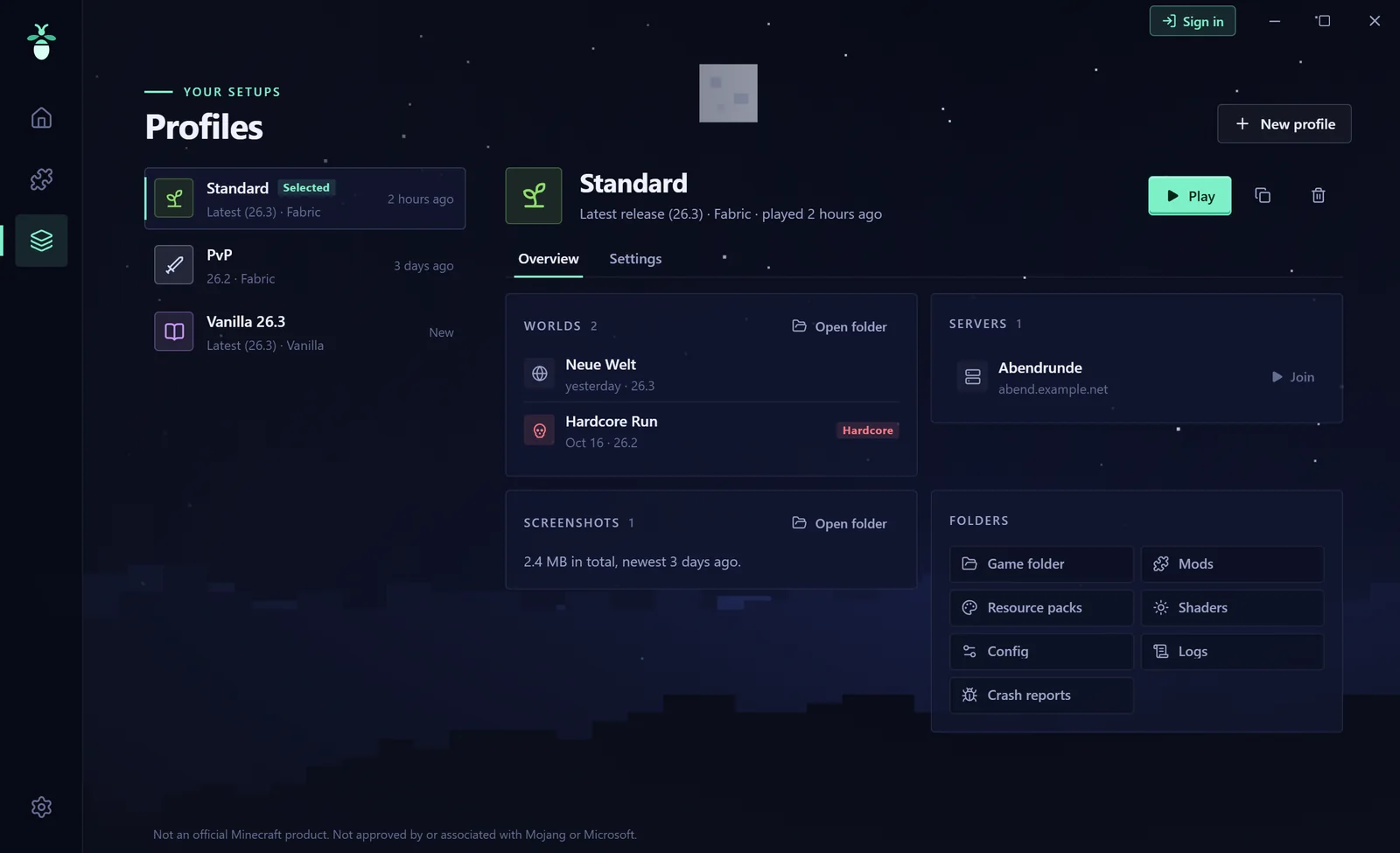
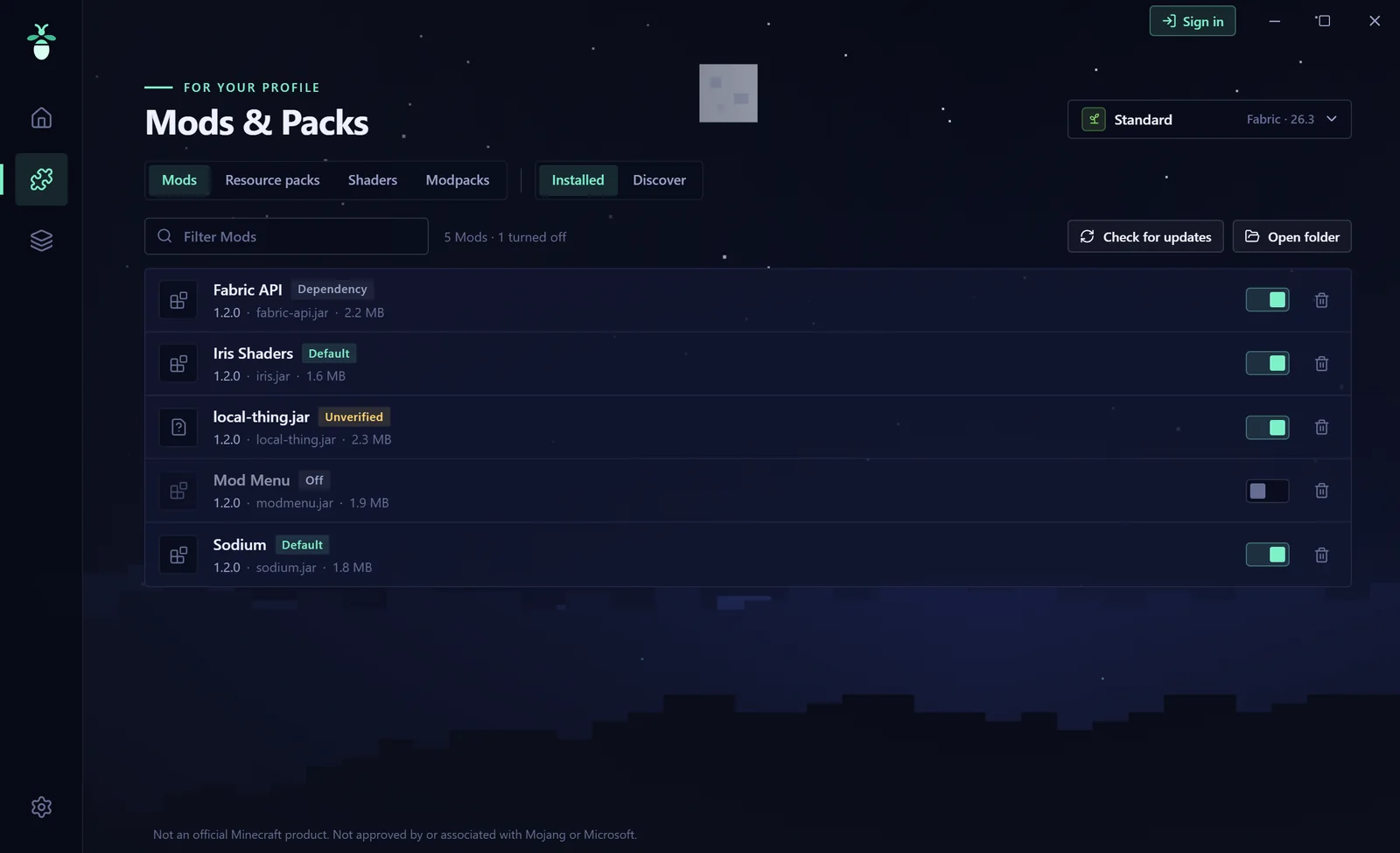
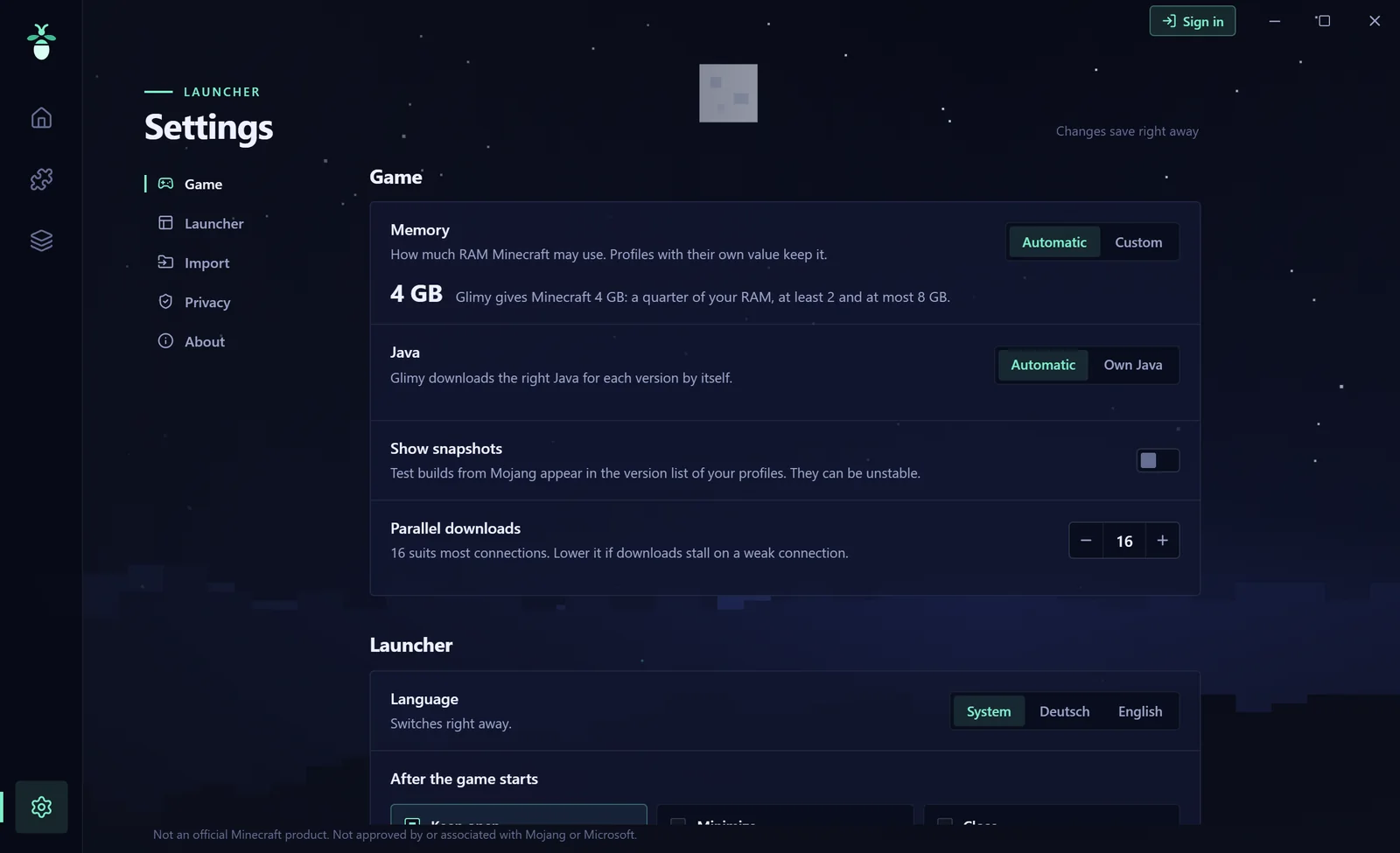
Screenshots from the game itself will follow as the client grows.
Account and data
Your account stays with you
Glimy is for players who own Minecraft: Java Edition. Sign-in is built in and will be switched on once Microsoft and Mojang have approved it for Glimy. This is how Glimy will then handle your sign-in:
- Sign-in only at MicrosoftYou sign in on Microsoft's own page in your browser. Glimy never asks for your password
- Stored only on your PCThe sign-in is kept encrypted in Windows Credential Manager. Glimy has no servers of its own and only passes it on to Microsoft and Mojang
- Only with a purchased gameBefore starting, Glimy checks with Mojang that your account owns Minecraft: Java Edition. There is no offline mode without a purchase
- Game files only from MojangGlimy ships no Minecraft. The game comes straight from Mojang's servers. Glimy only adds Fabric, the Glimy mod and the mods you choose yourself
- No trackingNo telemetry, no ads, no analytics. More in the privacy policy
Glimy is in alpha
We are still testing Glimy internally, without Microsoft sign-in. Sign-in and the public download will only follow once Microsoft and Mojang have approved it.